
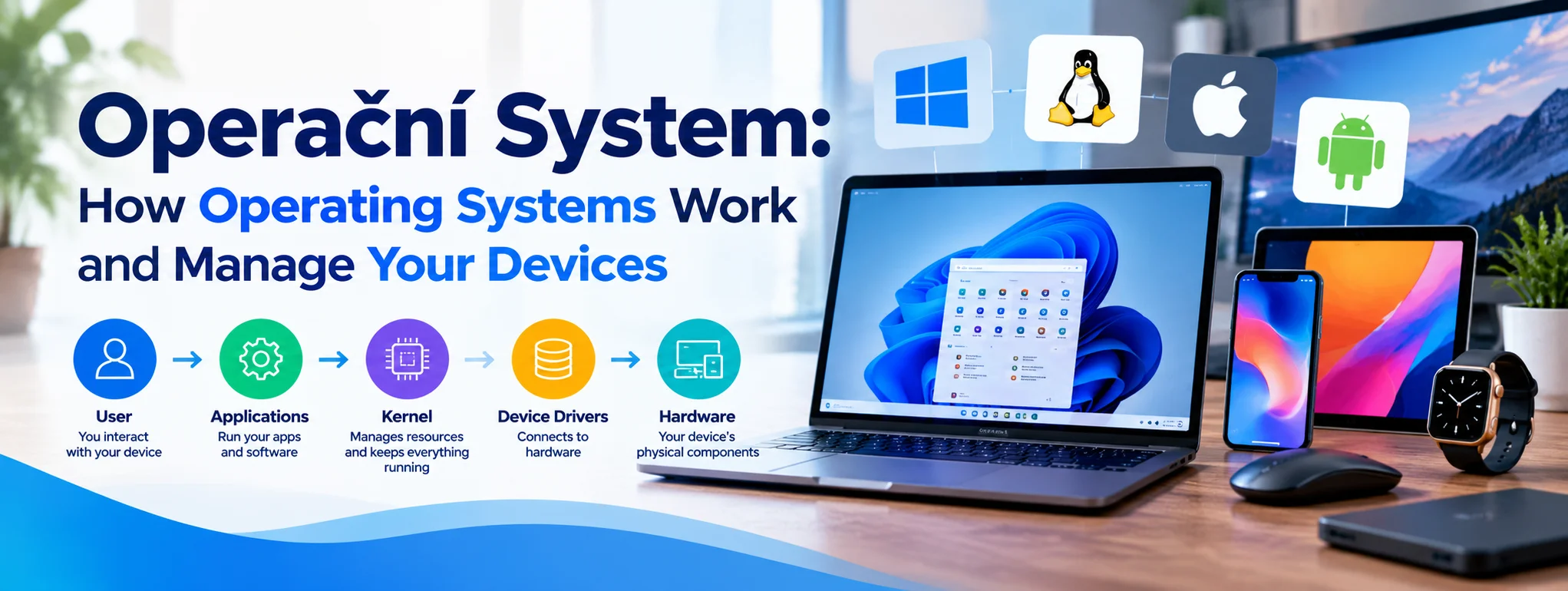
An operační system, commonly known in English as an operating system, is the essential software that allows a computer, smartphone, or tablet to function efficiently. It connects hardware with applications, manages system resources, and provides the interface people use to interact with their devices. Without an operating system, performing everyday tasks such as browsing the internet, editing documents, playing games, or managing files would be far more complicated.
Modern technology depends on reliable operating systems to deliver speed, security, convenience, and stability. From Windows computers to Android smartphones, these systems quietly manage thousands of operations in the background.
Operační System Meaning and Purpose
An operační system is system software that manages a device’s hardware and provides the foundation on which other programs run. It acts as a bridge between the physical components of a device and the applications that users open.
For example, when someone launches a web browser, the operating system allocates memory, schedules processor activity, manages network communication, and displays the browser’s interface. These actions happen almost instantly, creating a smooth and convenient experience.
Why Operating Systems Are Essential
Computers contain several components, including processors, memory, storage drives, keyboards, cameras, and displays. Each component performs a different function, and the operating system coordinates their activities.
Without this coordination, applications would need to manage hardware independently, making software development more difficult and increasing the risk of conflicts.
An operating system provides a structured environment that helps applications communicate with hardware while maintaining consistent performance and system stability.
How an Operační System Works
An operating system performs many tasks simultaneously. Although users usually interact with a graphical interface, important processes operate behind the scenes.
1. Managing the Processor
The central processing unit, or CPU, executes instructions that allow applications to perform calculations and complete tasks. When several applications are open, the operating system decides which processes receive processor time and when.
This process is called CPU scheduling. Efficient scheduling helps a device respond quickly when users switch between programs, play media, or work with large files.
2. Controlling Memory
Applications require memory to store temporary information while running. The operating system allocates available RAM to different processes and manages how that memory is used.
When physical memory becomes limited, some operating systems can use storage as additional virtual memory. Although this can prevent certain applications from running out of memory, storage is generally slower than RAM.
Effective memory management reduces conflicts and helps applications operate more reliably.
3. Organizing Files and Storage
An operating system provides tools for creating, opening, copying, moving, and deleting files. It also manages folders, storage permissions, and the file systems used to organize information on a drive.
For example, users can save photographs in one folder, documents in another, and application data in designated locations. This organization makes information easier to find and maintain.
4. Connecting Hardware Devices
Device drivers help the operating system communicate with hardware such as printers, graphics cards, webcams, and audio devices.
When a compatible printer is connected, the operating system uses the appropriate driver and system services to send printing instructions. Without suitable drivers, certain hardware features may not work correctly.
5. Providing a User Interface
Most modern operating systems offer a graphical user interface with windows, menus, icons, and buttons. Some also provide command-line interfaces for advanced configuration and technical tasks.
These interfaces make complicated computing operations more accessible, allowing users to manage devices without understanding every underlying process.
Popular Types of Operating Systems
Different operating systems are designed for different devices and user requirements. Some prioritize broad software compatibility, while others focus on mobile convenience, specialized workloads, or tightly integrated hardware.
Windows
Microsoft Windows is widely used on personal computers, business workstations, and gaming systems. It supports a broad range of applications, hardware accessories, and productivity tools.
Its compatibility makes it a common choice for offices, schools, and home users.
macOS
macOS is Apple’s desktop operating system for Mac computers. It combines a polished interface with integration across Apple’s hardware and software ecosystem.
Many creative professionals appreciate its support for media production, design applications, and connected Apple devices.
Linux
Linux-based operating systems are used on servers, desktop computers, embedded systems, and development environments. Many distributions offer extensive customization and open-source software.
Linux is especially important in server infrastructure, cloud computing, and software development because it supports flexible configuration and powerful administrative tools.
Android and iOS
Android and Apple’s iOS are designed for smartphones and related mobile devices. They manage touch-based interfaces, wireless connectivity, mobile applications, notifications, and battery consumption.
Their security controls and application distribution systems also help protect users while providing convenient access to digital services.
Key Functions of an Operating System
The following table summarizes the major responsibilities of an operační system.
| Function | Main responsibility | Everyday example |
| Process management | Coordinates running programs | Switching between applications |
| Memory management | Allocates available RAM | Running a browser and editor together |
| File management | Organizes stored information | Saving and finding documents |
| Device management | Controls connected hardware | Using a printer or webcam |
| Security management | Enforces access controls | Signing in with a password |
| Networking | Supports network communication | Connecting to the internet |
Together, these functions help a device operate efficiently and provide a dependable foundation for modern digital activities.
Security and Performance in Modern Operating Systems
Security and performance are two of the most important qualities of any operating system. A well-maintained system can help protect sensitive information, reduce software conflicts, and deliver a more reliable experience.
Protecting Personal Information
Operating systems commonly include account permissions, application restrictions, encryption options, and security updates. These features help limit unauthorized access and reduce exposure to known vulnerabilities.
Users should install updates from trusted sources, use strong passwords, enable multi factor authentication when available, and avoid suspicious downloads.
Improving Speed and Reliability
Over time, devices may become slower because of limited storage, demanding applications, unnecessary startup programs, or insufficient memory.
Useful maintenance practices include:
- Installing operating system and security updates regularly.
- Removing applications that are no longer needed.
- Keeping sufficient free storage space available.
- Reviewing applications that launch automatically.
- Backing up important files to a secure location.
These steps can improve the user experience, although they cannot overcome every hardware limitation.
Why Updates Matter
Operating system updates may introduce new features, improve compatibility, correct errors, and address security weaknesses. Delaying important updates for long periods can leave devices exposed to known threats.
Before a major upgrade, users should check hardware requirements, confirm application compatibility, and create a backup of important information.
How to Choose the Right Operating System
Selecting an operating system depends on the device, budget, software requirements, and personal preferences.
Students may prioritize affordability and compatibility with educational tools. Businesses may require centralized administration and dependable security controls. Developers might prefer environments that support programming languages, automation, and flexible development tools.
Before choosing, consider which applications you need, how long the device will receive updates, and whether the operating system supports your existing accessories.
Compatibility matters because switching platforms can affect file formats, application availability, workflows, and technical support.
Final Thoughts
An operační system is the foundation that makes modern computing practical, accessible, and efficient. It coordinates the processor, memory, storage, connected hardware, applications, and security features that users depend on every day.
Understanding these functions helps people choose suitable devices, solve common technical problems, and maintain better digital security. Whether you use Windows, macOS, Linux, Android, or iOS, the operating system plays a powerful role in determining how smoothly your technology works.
By keeping software updated, managing storage carefully, and choosing a system that meets your needs, you can enjoy a more reliable and productive computing experience.
Frequently Asked Questions
1. What does operační system mean?
It refers to an operating system, the software that manages device hardware and allows applications to run.
2. What are the main functions of an operating system?
Its main functions include process management, memory allocation, file organization, hardware control, security, and networking.
3. Which operating systems are commonly used?
Windows, macOS, Linux, Android, and iOS are among the best-known operating systems.
4. Can a computer work without an operating system?
A computer can perform certain low-level operations without a conventional operating system, but most everyday applications require one.
5. Why should I update my operating system?
Updates can improve security, fix software problems, enhance compatibility, and sometimes introduce useful features.
One Reply to “Operační System: How Operating Systems Work and Manage Your Devices”