
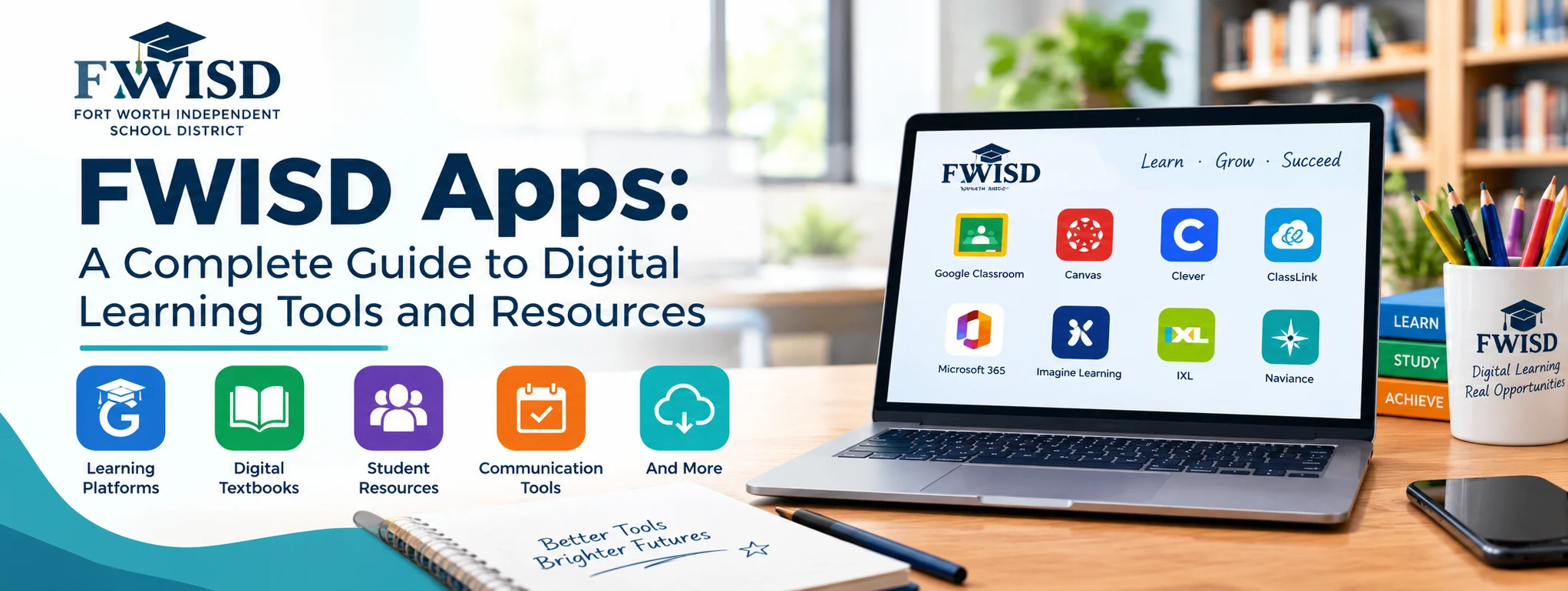
FWISD apps help students, parents, teachers, and staff access digital learning resources and school-related information through Fort Worth Independent School District (FWISD). These tools make it easier to manage educational activities, find classroom resources, review academic progress, and stay connected with school services.
For families navigating modern education, knowing where to find these digital resources can save time and reduce confusion. Instead of searching across multiple websites, students can use the district’s MyFWISD apps portal to access available educational applications, while parents can use the Focus Parent Portal to monitor important school information. The exact applications available may depend on the user’s role, school, and district permissions.
What Are FWISD Apps?
FWISD apps are digital tools and applications provided or supported by Fort Worth IDS to assist with teaching, learning, communication, and school administration. The district’s official MyFWISD portal provides access to approved applications, including resources used for classroom activities and digital learning.
Students may use these applications to access educational materials, complete assignments, and collaborate with teachers. Families can use designated platforms to follow grades, attendance, schedules, and other student information.
MyFWISD Apps Portal
The MyFWISD apps portal is an important starting point for students and staff who need district-supported digital resources. It provides access to available applications through a centralized location.
Visit the official MyFWISD Apps portal to find the current access options. Some applications may require a district account or additional authentication.
Why These Digital Tools Matter
Educational technology can make everyday school activities more organized. Students can access learning materials, teachers can share resources, and parents can stay informed about academic progress.
These benefits are especially valuable when families need to manage assignments, check schedules, or support learning outside the classroom.
Popular FWISD Apps and Digital Resources
The available applications can vary by user and educational setting. The following resources are particularly useful to understand when navigating FWISD’s digital environment.
1. ClassLink
ClassLink provides a centralized way to access supported applications. Through the MyFWISD portal, eligible users can open available tools without having to locate each service independently.
Depending on the application and account permissions, single sign-on can reduce repeated login steps and make classroom resources easier to reach.
2. Google Classroom
Google Classroom helps teachers organize coursework, distribute learning materials, communicate instructions, and manage assignments. Students can use it to review classwork and submit assigned activities.
FWISD’s educational technology guidance directs students to the MyFWISD portal to access Google Classroom through their district Google accounts. Access to a particular class depends on the teacher’s classroom setup.
3. Focus Parent Portal
The Focus Parent Portal is a valuable resource for families who want to follow their child’s school progress. According to the district’s official guidance, parents can access grades, attendance, schedules, report cards, teacher contact information, and STAR test results.
Parents can also use the Focus Portal mobile app with their Parent Portal credentials. Some information, including grades, depends on when teachers enter and publish records.
4. Microsoft and Google Productivity Tools
Eligible users may have access to productivity applications for documents, presentations, file storage, email, or collaboration. The specific services available depend on district configuration and account permissions.
Students should use the applications provided through their official portal rather than assuming every personal account or external application is approved for schoolwork.
5. Digital Learning Resources
FWISD supports digital learning through educational applications and curriculum resources. Depending on grade level and permissions, these may include digital textbooks, instructional materials, and subject-specific learning tools.
Students should check their current portal for the applications assigned to their courses.
How to Access FWISD Apps Step by Step
Getting started is straightforward when you have the correct district account and login information.
Step 1: Open the Official Portal
Visit the FWISD website and navigate to MyFWISD Apps. Using the official district website helps you avoid unofficial pages that may imitate school login services.
Step 2: Sign In With Your District Account
Enter the credentials associated with your student or staff account. Follow any additional authentication instructions if prompted. Students and staff may have different access permissions.
Step 3: Choose the Required Application
After signing in, review the available application tiles. Select the tool you need for assignments, educational materials, or other school activities.
If an expected application is missing, sign out and sign in again to refresh the portal. If it remains unavailable, contact your teacher or the district technology support team.
Step 4: Start Learning or Managing School Tasks
Open the required resource and follow its instructions. Bookmarking the official portal can make future access faster and help students develop a consistent study routine.
FWISD Apps for Parents and Students
Different users rely on different digital tools, so understanding their purposes can make school technology easier to navigate.
| Resource | Main purpose | Typical users |
| MyFWISD Apps | Centralized application access | Students and staff |
| ClassLink | Access to supported digital tools | Eligible students and staff |
| Google Classroom | Assignments and class materials | Students and teachers |
| Focus Parent Portal | Grades, attendance, and schedules | Parents and students |
| Digital textbooks | Online instructional materials | Eligible students and teachers |
Common FWISD Apps Login Problems and Solutions
Even reliable digital platforms can occasionally create difficulties. A few simple troubleshooting steps can help restore access.
Forgotten Passwords
If you cannot remember your password, use the district’s approved password recovery process. If recovery does not work, contact your school or the FWISD Help Desk for assistance.
Missing Applications
Applications may differ according to grade level, course enrollment, and account permissions. Refresh your portal session first. If the application is still missing, ask your teacher or technology support team to confirm your access.
Slow Loading or Connection Issues
Check your internet connection, refresh the page, and try an updated browser. If a district service remains unavailable, consult official district communications or contact technical support.
Where to Get Help
The FWISD technology department lists its Help Desk number as 817-814-4357. You can also review the district’s technology resources for support information and quick reference guides.
Tips for Using FWISD Apps Effectively
A consistent digital routine can help students stay organized and reduce missed assignments.
- Check the appropriate classroom platform regularly for new assignments and instructions.
- Use the Focus Parent Portal to monitor grades and attendance.
- Keep district login credentials private and never share passwords in public messages.
- Save important files in approved storage locations so schoolwork remains organized.
- Ask teachers or technical support for help when an application is unavailable or confusing.
Parents can also establish a regular time to review school information with their children. This simple habit encourages responsibility, builds confidence, and helps families identify academic concerns early.
Final Thoughts
FWISD apps provide an important connection between classroom instruction, digital resources, and school communication. From accessing applications through MyFWISD to checking academic progress through the Focus Parent Portal, these tools help students, families, and educators manage essential school activities.
The best way to benefit from these resources is to understand which application serves each purpose, use official district access points, and keep account information secure. When login problems occur, the district’s support resources can help users find a practical solution.
With the right approach, FWISD apps can make everyday school tasks more convenient, support stronger communication, and create a more organized digital learning experience.
Frequently Asked Questions
1. What are FWISD apps?
FWISD apps are digital applications and educational resources supported by Fort Worth Independent School District for learning, communication, and school-related activities.
2. How do I access FWISD apps?
Visit the official MyFWISD Apps portal and sign in using your district credentials.
3. Can parents use FWISD apps?
Yes. Parents can use the Focus Parent Portal to review available student information, including grades, attendance, schedules, and report cards.
4. What should I do if an FWISD app is missing?
Refresh your portal session and sign in again. If the application remains unavailable, contact your teacher or the district technology support team.
5. Who can help with FWISD login issues?
Contact the FWISD Help Desk at 817-814-4357 or consult your school for account-specific assistance.
One Reply to “FWISD Apps: A Complete Guide to Digital Learning Tools and Resources”