
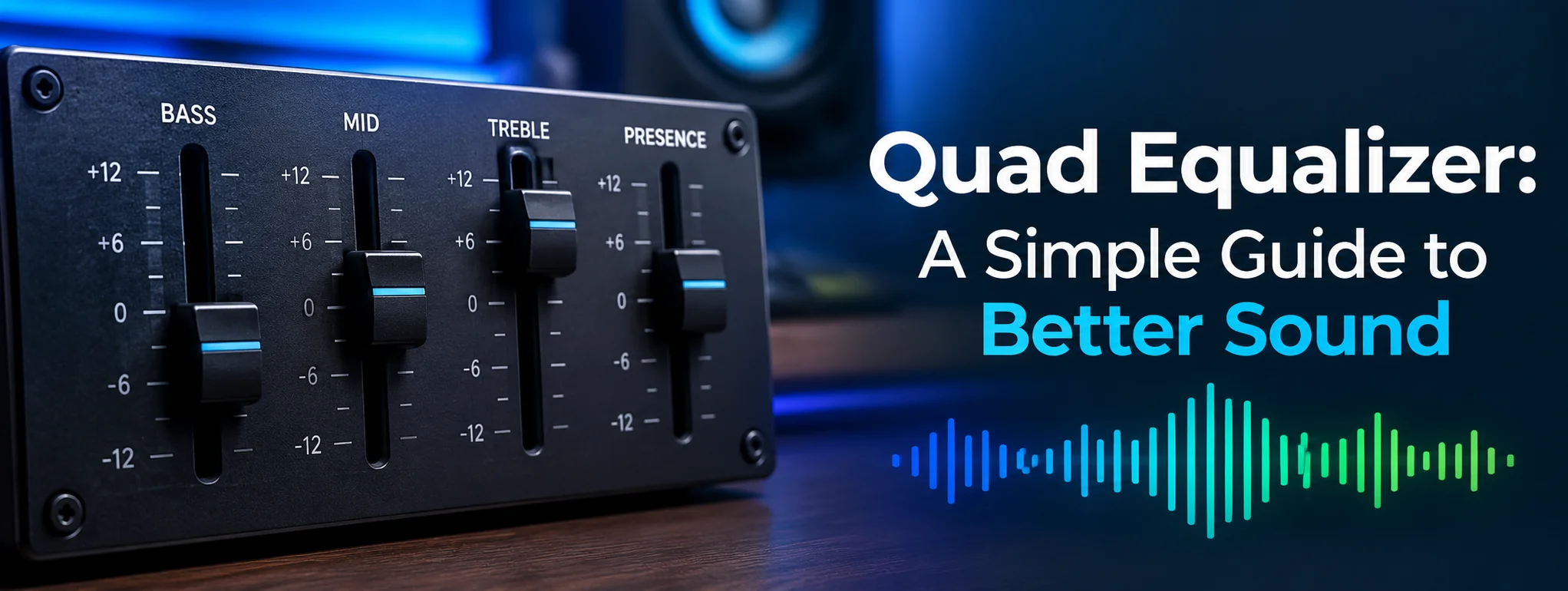
Achieving vibrant, crystal-clear audio can transform how you experience music, movies, and production projects. Whether you are tweaking a home stereo setup, fine-tuning car speakers, or crafting a mix in a home studio, adjusting sound frequencies often feels overwhelming. Enter the Quad Equalizer—a streamlined, four-band solution designed to sculpt your sound with ultimate precision without drowning you in technical complexity.
Understanding audio controls does not require an engineering degree. By mastering a Quad Equalizer, you gain total command over your sound stage, effortlessly balancing deep bass with crisp highs to unlock a truly thrilling listening experience.
Why Use a Quad Equalizer?
A Quad Equalizer offers a simple and practical way to shape your audio without dealing with a complicated collection of controls. With four adjustable frequency bands, you can make noticeable changes to the sound while keeping the setup easy to understand.
This straightforward design makes a Quad Equalizer suitable for both beginners and experienced listeners. You can fine-tune bass, midst, and treble-related frequencies without making the overall sound feel overly processed.
It can also help balance differences between headphones, speakers, rooms, and recordings. For example, some headphones may produce stronger bass, while others may sound brighter in the upper frequencies. Adjusting the equalizer can help create a more balanced presentation that better matches your listening preferences.
Mastering the Basics of Frequency Control
Audio frequencies are measured in Hertz (Hz) and Kilohertz (kHz). They span the full spectrum of human hearing, roughly from $20\text{ Hz}$ to $20,000\text{ Hz}$. A standard 4-band or Quad Equalizer divides this massive range into four distinct, manageable frequency zones. Each zone governs specific characteristics of your sound:
-
Low Frequency (Bass): Below $250\text{ Hz}$ – Controls the rumble, kick drums, and deep baselines.
-
Low-Mid Frequency: $250\text{ Hz}$ to $2\text{ kHz}$ – Handles warmth, body, and instrument fundamentals.
-
High-Mid Frequency: $2\text{ kHz}$ to $6\text{ kHz}$ – Brings out vocal presence, snare snaps, and clarity.
-
High Frequency (Treble): Above $6\text{ kHz}$ – Controls air, brilliance, cymbal shimmer, and detail.
By focusing on these four core zones, a Quad Equalizer allows you to make broad, powerful adjustments quickly and effectively.
Key Frequency Bands of a Quad Equalizer
To shape your mix or listening setup, you must understand what happens when you boost or cut each of the four main bands.
| Frequency Band | Range | Key Sound Elements | Purpose of Adjustment |
| Band 1: Lows (Bass) | $20\text{ Hz} – 250\text{ Hz}$ | Kick drum, bass guitar, synth sub-bass | Boost for warmth/punch; Cut to fix muddy rumble. |
| Band 2: Low-midst | $250\text{ Hz} – 2\text{ kHz}$ | Vocals, guitars, keys, lower snare | Boost for fullness; Cut to remove boniness. |
| Band 3: High-midst | $2\text{ kHz} – 6\text{ kHz}$ | Vocal clarity, attack of percussion | Boost for presence/intelligibility; Cut to smooth harshness. |
| Band 4: Highs (Treble) | $6\text{ kHz} – 20\text{ kHz}$ | Cymbals, vocal air, acoustic guitar spark | Boost for openness/sparkle; Cut to eliminate sibilant/hiss. |
Step-by-Step Guide to Dialing in Your Quad Equalizer
Step 1: Start with a Flat Baseline
Before turning any knobs or moving sliders, set all four bands to $0\text{ dB}$ (flat). Listen to your reference track at a comfortable volume. Pay close attention to what feels missing or overbearing.
Step 2: Cut Before You Boost
One of the most secret dynamic tricks in sound engineering is additive versus subtraction equalization. If your sound feels muffled, instead of cranking up the high-midst and treble, try reducing the low-midst slightly. Subtraction adjustments preserve headroom and prevent unwanted distortion.
Step 3: Enhance Vocals and Lead Instruments
If vocals sound distant or buried, subtly boost Band 3 (High-midst). A small adjustment between $+1.5\text{ dB}$ and $+3\text{ dB}$ pushes vocals to the front of the stage without forcing you to raise the overall volume.
Step 4: Clean Up the Low-End
Excessive bass easily overwhelms small speakers and rooms. If your audio sounds boom or muddy, trim Band 1 (Lows) slightly. Conversely, if your sound feels thin and lifeless, a subtle boost brings back the rich, heartwarming body of the track.
Step 5: Add Polish and Air
Finish your balance by tweaking Band 4 (Highs). A tiny nudge upwards adds a sleek, modern shimmer to cymbals and acoustic instruments, creating an open, expansive atmosphere.
Powerful Tips for Superior Sound Quality
-
Trust Your Ears, Not the Visuals: Avoid setting dials based on symmetrical patterns or visual aesthetics. Focus entirely on how the room or headphones feel.
-
Make Small Adjustments: Audio equalization is a game of millimeters. Changes of $1\text{ dB}$ to $3\text{ dB}$ are usually all you need for massive results.
-
Take Frequent Ear Breaks: Listening at high volumes causes ear fatigue, making your judgment unreliable. Step away for five minutes to reset your hearing.
Frequently Asked Questions
What is the primary advantage of a Quad Equalizer over a 31-band graphic EQUAL?
A Quad Equalizer simplifies tone shaping into four crucial zones, offering a faster, more intuitive workflow that avoids phase issues and complex multi-slider confusion.
How do I fix muddy sound using a Quad Equalizer?
Gently reduce the Low-Mid band ($250\text{ Hz} – 2\text{ kHz}$) by $2\text{ dB}$ or $3\text{ dB}$. This clears up unwanted boniness while keeping the deep bass intact.
Can a Quad Equalizer prevent speaker distortion?
Yes. By cutting bloated bass frequencies (Band 1) that overload your amplifier, you free up headroom and reduce physical speaker strain.
Should I boost or cut frequencies first?
Always cut unwanted or competing frequencies first. Subtraction EQUAL keeps your mix clean, natural, and free from artificial clipping.
Is a Quad Equalizer effective for home theater setups?
Absolutely. It lets you quickly boost vocal dialogue in the high-midst while controlling explosive movie bass in the low end for a balanced cinema experience.
Final Thoughts
Mastering a Quad Equalizer is the ultimate shortcut to unlocking rich, immersive, and flawless audio performance. By taking control of these four essential bands, you eliminate muddy noise, banish harshness, and craft a deeply satisfying soundscape tailored precisely to your taste. Sound optimization doesn’t require endless complexity—just a bit of balance, patience, and the right approach.